Hey everyone, thanks for stopping by. If you’re here, you’re either looking to level up your jewelry making with a 3D printer, or you’re stuck trying to figure out why your last print didn’t turn out right (spoiler: 9 times out of 10, it’s temp-related, not the machine itself). As a jewelry 3D printer supplier, I’ve fielded this question at least a hundred times: “What’s the actual printing temp for a jewelry 3D printer?” And no, it’s not a one-size-fits-all number. Let me break this down like I would for a new client who just unboxed their first machine—no jargon, no fluff, just real talk that actually works. Jewelry 3D Printer
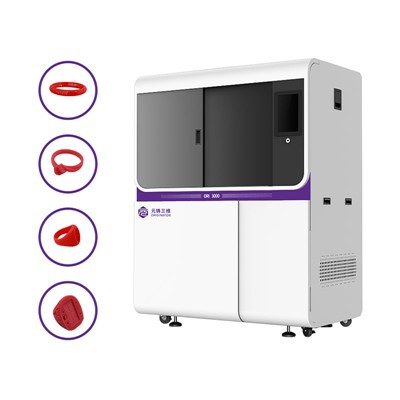
First off, let’s get one thing straight: jewelry 3D printers aren’t the same as the big consumer ones you see for making keychains or phone cases. Those are usually FDM, right? They melt plastic and squirt it layer by layer. Jewelry printers are mostly resin-based—think SLA (Stereolithography) or DLP (Digital Light Processing) —and even if some newer ones dabble in pellet extrusion for wax patterns, resin is the bread and butter for fine jewelry. So when people ask about “printing temperature,” they’re almost always mixing two things up: the resin’s ideal curing temp (wait, yes, resin uses temperature for curing, not melting) and the workspace temp that keeps your print from failing mid-job. Let’s start with resin, since that’s what 90% of our clients use for rings, pendants, earrings—all the good stuff.
Resins for jewelry are different too. There’s standard castable resin, which burns out clean in a furnace so you can cast it in gold, silver, platinum, whatever. Then there are standard non-castable resins for prototyping, but most people buying jewelry printers care about castable because that’s how you make actual wearable pieces. Now, castable resin curing temps—this is where the confusion starts. A lot of old tutorials say “room temp, around 20C (68F)” but that’s for cheap resin from random Amazon sellers. The good professional grade resin (the stuff we stock for our machines) has a sweet spot between 22C and 28C (72F to 82F). Wait, why that range? Because below 22C, the resin is too thick. If it’s cold, it doesn’t flow evenly into the tiny gaps of your jewelry design—like the fine filigree on a dainty necklace pendant, or the tiny prongs holding a simulated gem. If it’s above 28C, the resin cures too fast. You get bubbles locked in mid-print, or layers that don’t stick, which means you’ll have to sand the hell out of it later, and even then it’ll have weak spots that break when you cast.
I learned this the hard way early on. We had a client in Minnesota who ran his printer in his unheated garage during winter. He kept setting his temp to 20C because he thought “room temp is room temp” and his prints were coming out with half the details missing. He called us panicking, saying the machine was broken. We walked him through checking the garage temp, and when he moved the printer to his finished basement, set the printer’s built-in temp sensor to 24C, his next print was perfect. Lesson: the workspace temp (and the printer’s chamber temp, if it has one) is non-negotiable for resin. You can’t just rely on the heater in your living room.
Wait, but what if someone is using a wax-based extrusion printer? Yeah, those are a smaller subset, mostly for people who want to skip the resin burnout step and go straight to wax casting. Wax printers have actual melting temps, and that range is tighter: 50C to 60C. Wax gets too gooey above 60C, so it oozes through the nozzle before it’s supposed to, messing up intricate designs. Below 50C, it’s too stiff, so the nozzle clogs, and you get lines in your wax pattern that’ll show up when you cast metal. We’ve found that the best wax printers for jewelry have a heated nozzle that lets you adjust in 1C increments, because even a 2C difference can make a huge dent in a custom design—like a tiny engraving on a ring band that you don’t want to smudge.
Now, here’s the part most people don’t tell you: it’s not just the resin or wax temp. It’s also the post-print curing temp. A lot of first-timers print a part, take it off the build plate, and throw it under a UV light for 10 minutes, then call it done. Wrong. The post-cure temp is just as important, because it makes the resin fully hardened so it doesn’t warp during burnout. For castable resin, we recommend post-curing at 40C for 20 minutes, not room temp. If you post-cure at room temp, the resin is still a little soft, and when you put it in the furnace to burn out before casting, it might warp, so your final metal piece is not the right size. We had a client do this with a custom engagement ring design, and the ring ended up being 1mm too small because the resin warped mid-burnout. Had to reprint the whole thing—total waste of time and resin.
Wait, let’s talk about variables that change this, because this is where things get tricky. Not all jewelry printers are built the same. Our top-of-the-line DLP printers have built-in temp control for both the chamber and the nozzle, so you don’t have to mess with external heaters. Cheaper no-name printers (the ones you see on Alibaba for $500) often skip the chamber temp sensor, so you have to buy a separate temp gun to monitor, and even then it’s hit or miss. If you’re a hobbyist just making earrings, maybe that’s fine, but if you’re a small business making custom wedding bands, you need consistent temp control, which is why we build that into every machine we sell.
Another variable: the size and detail of your print. A tiny earring stud with a 1mm gem setting? It’ll cure best at the lower end of the resin temp range, around 22C. A large pendant with a lot of thick, solid areas? That needs the higher end, 28C, because thick resin takes longer to cure, and you don’t want the outside to cure while the inside is still soft, leading to cracks. We tell all our clients to do a test print first—we send a free test file with every machine, it’s a little ring with different fine details. Print that at different temps, check which one has the sharpest lines and no bubbles, then stick with that temp for all their prints.
What about common mistakes that mess up temp settings? A big one is cranking the temp up to make curing faster. People think “if I heat it more, it’ll be done in half the time.” No. For resin, higher temp = faster curing, but that causes shrinkage. Shrinkage is the enemy of jewelry. If your print shrinks even 0.5mm, that’s a problem for a ring that’s supposed to fit size 7. We’ve had clients who did this, and their first batch of 50 rings were all slightly undersized because they set the curing temp to 35C to save time. Ended up having to rework every single one, which cost them more time and money than if they’d just followed the correct temp.
For wax printers, a common mistake is not letting the nozzle heat up long enough. People load the wax, hit print, and start 2 minutes later, but the wax nozzle needs time to reach the set temp. If you start too early, the wax is cold and clogs the nozzle mid-print. We always tell clients to wait 5 minutes after the machine says it’s at temp before starting a print. That’s a small step, but it saves so many headaches.
Let me also address a question I get all the time: can I adjust temp for different resins? Absolutely. We have a guide that comes with every machine, but even if you don’t have one, here’s the rule of thumb: if you’re using a resin from us, stick to the temp we recommend for that specific resin. If you’re buying resin from another brand, check their data sheet—they’ll have a curing temp range. Don’t guess, because different resins have different chemical compositions. Some castable resins need a higher temp, some need lower, depending on how they’re formulated to burn out.
Now, let’s get practical. Let’s say you’re a new jewelry maker, just got a printer from us. Here’s your step-by-step temp routine: first, check your workspace temp. If it’s below 22C, get a small space heater near the printer, but don’t point it directly at the machine—you want consistent ambient temp, not hot spots. Set your printer’s chamber temp to 24C. Load your resin, let it sit in the printer for 10 minutes to reach temp. Print your part. Once it’s done, remove the support material, then put it in our post-cure station set to 40C for 20 minutes. That’s it—no guesswork, no failed prints.
Wait, what if you’re printing a really complex piece, like a filigree pendant with 0.5mm thick strands? We bump the temp up to 26C for that. The warmer resin flows better into those tiny strands, so you don’t get gaps in the filigree. And when you post-cure, we let it go 25 minutes instead of 20, just to make sure all the small areas are fully hardened. We test that with our own prototypes—we print the same pendant at 22C, 24C, 26C, and 28C, and the 26C one always has the sharpest details and no broken strands.
I know this might sound like a lot, but once you get the temp routine down, it becomes second nature. Temp is the foundation of a good jewelry print, way more important than the resolution of the printer or the brand name. I’ve seen cheap no-name printers make amazing jewelry if you get the temp right, and I’ve seen top-of-the-line printers make garbage prints because someone set the temp wrong.
If you’re still stuck, don’t overcomplicate it. That’s why we have a support team—we talk to our clients every day, walk them through temp settings, tweak their routines, whatever they need. We’re not just selling machines; we’re in the business of helping people make beautiful jewelry without wasting time and money on failed prints.
So, to wrap this up: there’s no single printing temperature for a jewelry 3D printer, because it depends on the type of printer (resin vs wax), the material (castable resin vs wax), the complexity of your design, and your workspace conditions. For resin jewelry printers, stick to 22C-28C chamber temp, 40C post-cure temp. For wax extrusion printers, stick to 50C-60C nozzle temp, wait 5 minutes after the machine hits temp before printing. Always check your material’s data sheet, do a test print, and don’t be afraid to reach out if you’re struggling.
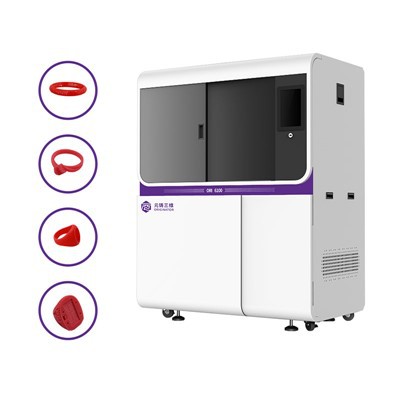
If you’re looking to invest in a jewelry 3D printer, or you’re having issues with your current one, we’re here to help. We can walk you through the right temp settings for your specific needs, help you pick the right materials, and support you every step of the way to make sure your prints turn out perfect every time. Don’t hesitate to get in touch to discuss your requirements, we’d love to hear from you.
Jewelry 3D Printer References:
- Gibson, I., Rosen, D. W., & Stucker, B. (2015). Additive Manufacturing Technologies: 3D Printing, Rapid Prototyping, and Direct Digital Manufacturing. Springer.
- ISO/ASTM 52900:2021. Additive Manufacturing — General Principles — Terminology. International Organization for Standardization.
- Castable Resin Technical Data Sheets, Formlabs Inc. (2023).
- Jewelry 3D Printing Best Practices, International Jewelers Association (2022).
Hangzhou Originator 3D Technology Co., Ltd.
Hangzhou Originator 3D Technology Co., Ltd. is one of the most experienced jewelry 3d printer manufacturers and suppliers in China. With abundant experience, we warmly welcome you to wholesale high quality jewelry 3d printer made in China here from our factory. Contact us for more details.
Address: Room 403, Building 2, Block B, Heda Incubation Park,No. 452, 6th Avenue, Xiasha, Qiantang District,Hangzhou, Zhejiang, China
E-mail: Sales@originator3d.com
WebSite: https://www.originator3d.com/
